The Tools Panel in Photoshop CS5

The Tools Panel in Photoshop CS5

Photoshop CS5
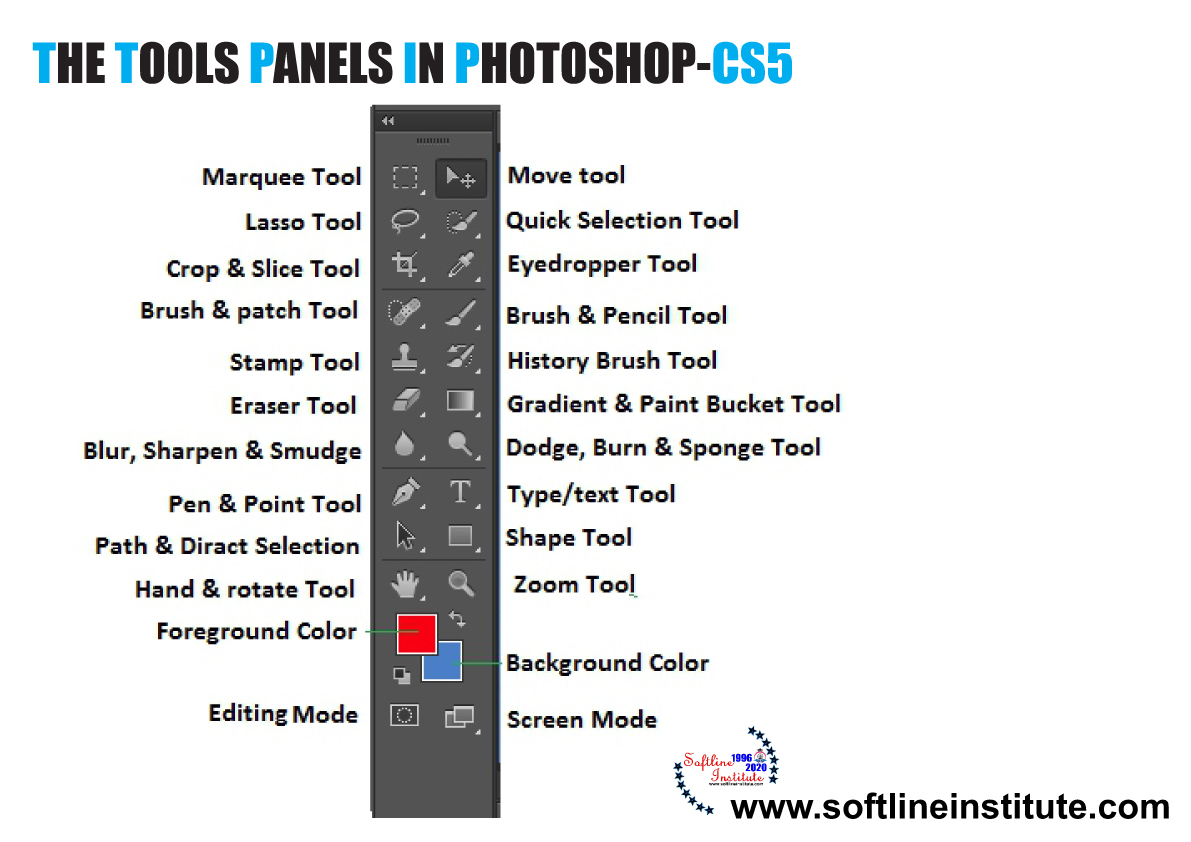
What is Photoshop CS5? The Photoshop has evolved as the most popular program and the foremost choice among Graphic Designers, Web Designers and Multimedia Designers and the Photographers since its first release. Photoshop CS5, the new release of Photoshop. Photoshop CS5 is the leading digital Image editing Program. It comes in two different programs- Photoshop CS5 and Photoshop CS5 Extended. What is Tools Panel? The Tools panel displays various icons that represent various tools in Photoshop CS5 or Photoshop CS5 Extended. These icons are grouped according to their functionalities and used to edit the Image in Photoshop. Tools Present in the Selection, Cropping and Measuring tools group of the Tools Panel: Tool NamePurposeMove ToolMoves selection, layer and guidesRectangular Marquee ToolMakes rectangular or square selectionElliptical Marquee ToolMakes circular or elliptical selectionsSingle…
Read More
Different Screen Modes in Photoshop CS5

Different Screen Modes in Photoshop CS5

Photoshop CS5
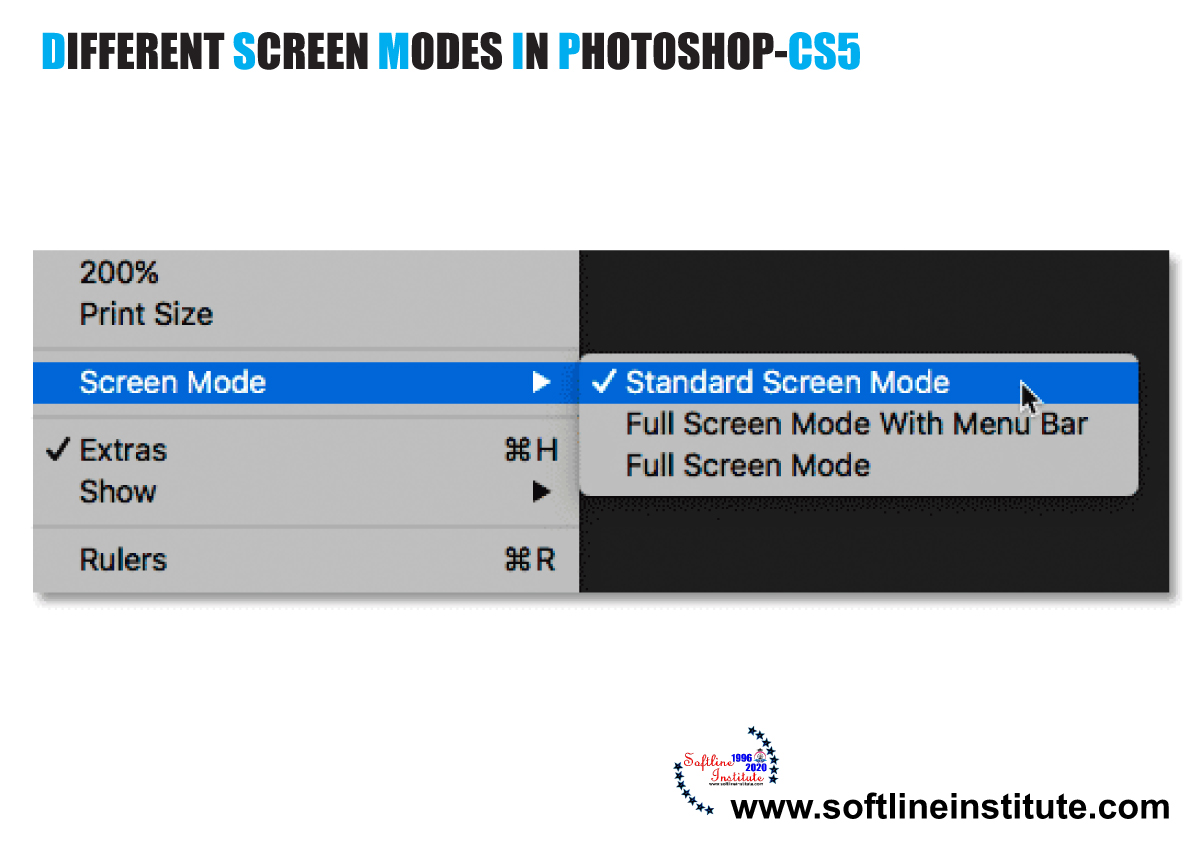
What is Photoshop CS5? The Photoshop has evolved as the most popular program and the foremost choice among Graphic Designers, Web Designers and Multimedia Designers and the Photographers since its first release. Photoshop CS5, the new release of Photoshop. Photoshop CS5 is the leading digital Image editing Program. It comes in two different programs- Photoshop CS5 and Photoshop CS5 Extended. Now we will learn about the Screen Modes in Photoshop CS5. Why to Use Screen Modes? While working with Photoshop; managing the Tools panel, panels and Application bar can be difficult. Sometimes you may wish to hide some or whole panels and Tool panels, and bars to work in full screen. Photoshop provide some Options for this purpose, called the Screen-Modes. You can use Screen Modes options in Photoshop CS5…
Read More
Types of Panels in Photoshop CS5

Types of Panels in Photoshop CS5

Photoshop CS5
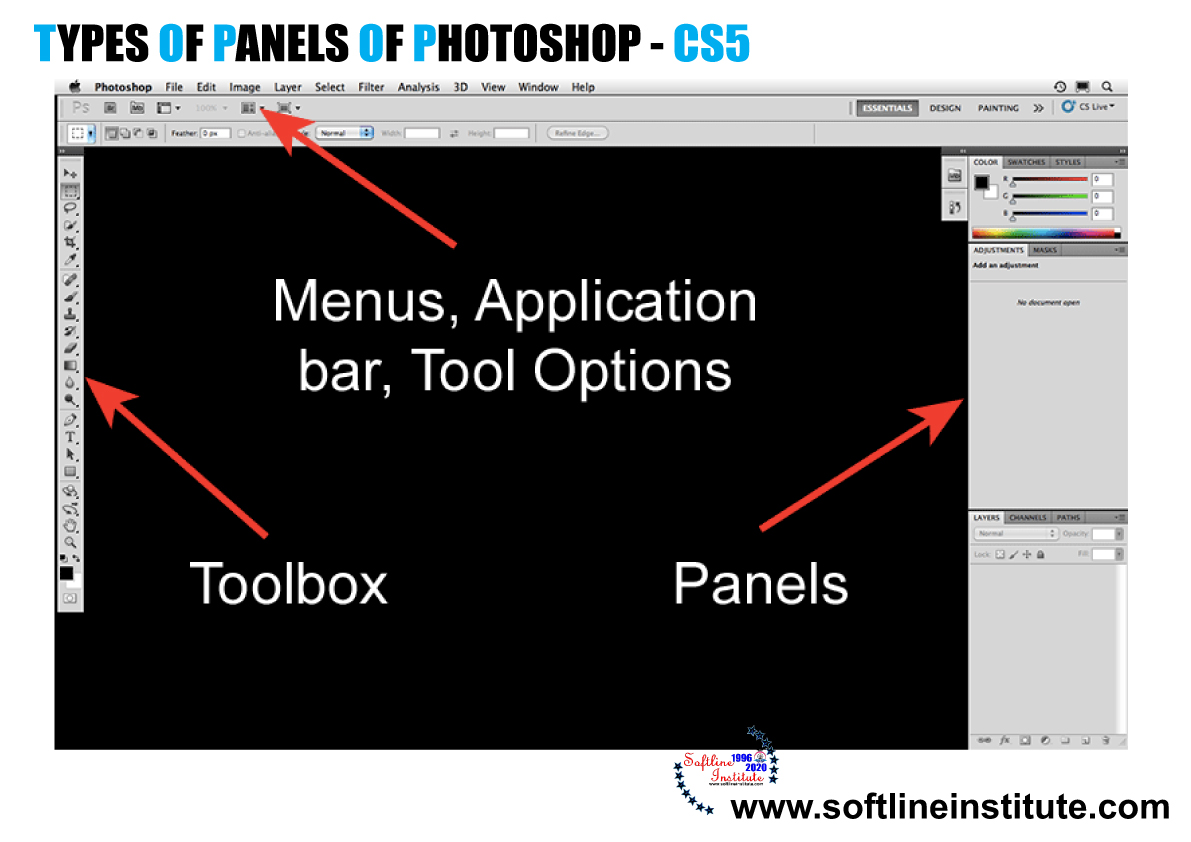
What are Panels? Panels are small adjustable windows that provide access to common commands and options. Such as; creating a layer in the LAYERS panel or going back to the right side of the Photoshop CS5 window. YOu can click the tab or icons of the panels to display and hide panels. Different panels are grouped into one to provide more space to work with. For instances, by default, thee COLOR panel is grouped with the SWATCHES and STYLES panels. These panels can be collapsed into tabs or icons, where in the tabs form displays the icons and names and the icons from displays only the respective icons. In icons from the panels,you can place the mouse pointer over the icons to display the name of the respective panel as…
Read More
Exploring the Interface Of Photoshop CS5

Exploring the Interface Of Photoshop CS5

Photoshop CS5
The Photoshop CS5 Application interface is where you open or import digital images into the Document Window. And then edit the images using combinations of tools, menu commands and panel options. The new interface has been improved from the last version with the CS live feature. Which is complementary online service provided by Adobe. The tools in the Tools Panel and Application Bar has redesigned and included in the version. The new interface has retained the Application bar, the interface also Includes Tools Panel, Document Window and several Panels such as LAYERS Panel and COLOR Panel. Which collapse or expand as per your requirements. These Panels also collapse into icons. The Application Bar The Application Bar is double row, positioned at the top of the Photoshop CS5 Window. Application Bar…
Read More