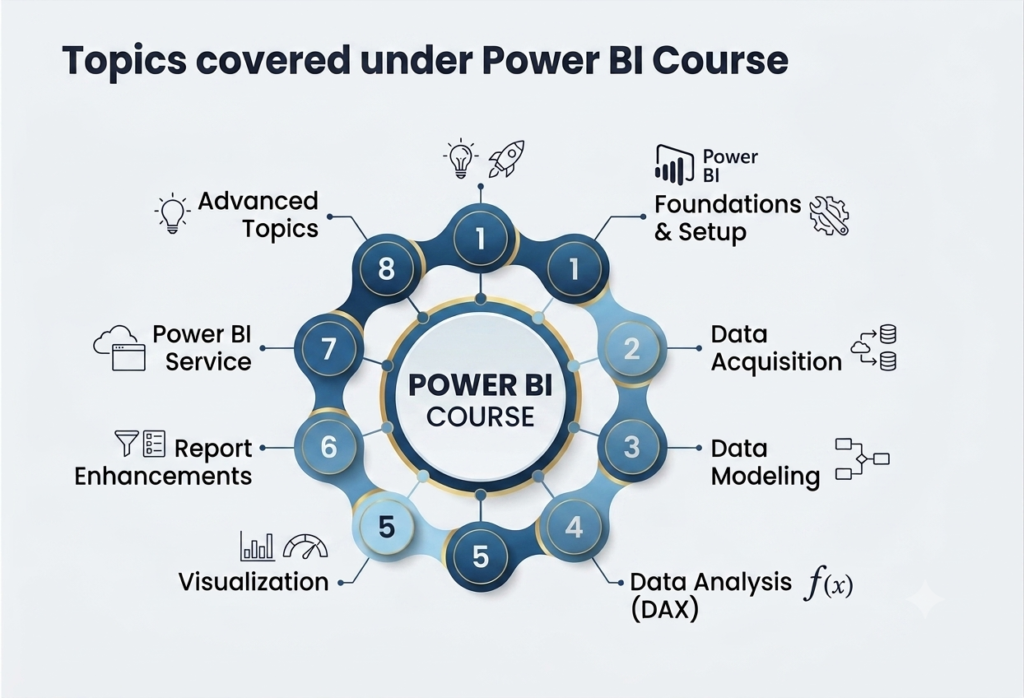
Power BI is a business analytics service created by Microsoft. Its primary purpose is to convert raw, unrelated sources of data into coherent, visually immersive, and interactive insights.
Whether your data lives in a simple Excel spreadsheet, a cloud-based database, or a combination of on-premises and hybrid data warehouses, Power BI allows you to easily connect to your data sources, clean and model the data, visualize what’s important, and share those insights with anyone you want.
Key Components of Power BI
Power BI Desktop A free, Windows-only application used to connect to data, clean it, transform it, and build visual reports. This is where data analysts do most of their heavy lifting.
Power BI Service A cloud-based (SaaS) secure service where users view, interact with, and share reports and dashboards. Once a report is built in Desktop, it is typically published here.
Power BI Mobile Apps Native apps available for iOS, Android, and Windows devices, allowing users to securely access and view live dashboards and reports on the go.
Power BI Report Server An on-premises report server that allows companies to keep their data and reports within their own local network boundaries if they cannot or prefer not to use the cloud service.
Why Do Businesses Use It?
Easy to Use: It features an intuitive user interface that feels familiar to anyone who has used Microsoft Excel.
Robust Data Connectivity: It can connect to hundreds of data sources, from basic files (Excel, CSV) to massive databases (SQL Server, Oracle) and cloud platforms (Azure, Salesforce, Google Analytics).
Real-Time Insights: Dashboards can update in real-time as data is refreshed, allowing companies to make immediate, data-driven decisions.
Advanced AI Capabilities: It includes built-in artificial intelligence features, such as natural language processing (allowing users to ask questions about their data like “What were sales by region?”) and automated machine learning.
Security: Backed by Microsoft’s enterprise-grade security framework, ensuring that sensitive data is protected and access can be strictly controlled.